
Paying rent online
Accommodation in student dormitories can be paid online throughout the academic year. This lets students settle any outstanding debts as well as pay rent one month in advance.
How to pay online:
Sign in to your personal profile at: https://natjecaj.sczg.hr/student/login.ashx

Once signed in, click “Naplata smještaja” (Accommodation charges).
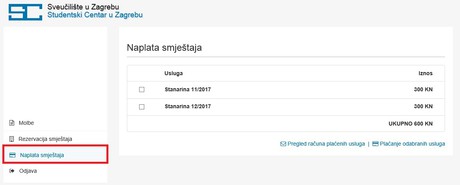
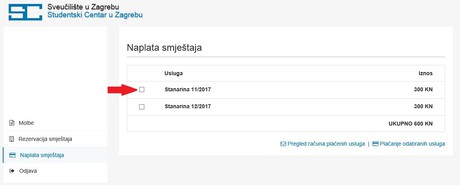
In the middle of the screen, select what you are paying for by ticking the empty checkbox.
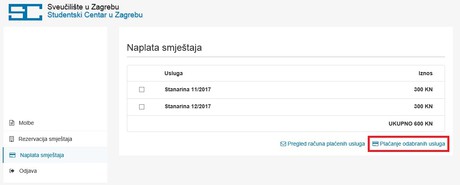
On the right you will see “Plaćanje odabranih usluga” (Pay for selected services); clicking it opens the rent payment form for the options you selected.
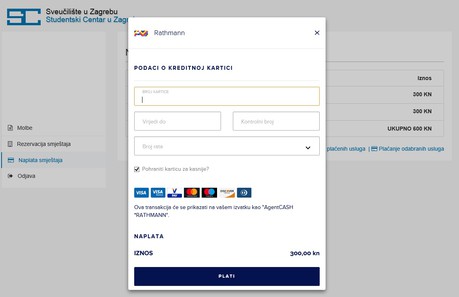
Enter your card number, expiry date and security code. If those details are correct, confirm the transaction with a token of some kind (card reader, mToken — as with any online payment).
If the transaction succeeds, you can download the receipt as a PDF.
If the payment form reports success but the accommodation reservation screen shows that the transaction failed, an error occurred while creating the receipt. In that case contact the SC office by email at (poslovnica@sczg.hr), giving your personal details (first name, surname, OIB), the reservation number and a short description of what went wrong (a screenshot helps), so the transaction can be reversed manually.
Please note: rent cannot be paid a month in advance unless all earlier debts have been settled.